

Back to Apps
    TradingView: Track All Markets icon

    TradingView: Track All Markets

    Track global markets with TradingView. Access real-time data, advanced charts, and personalized watchlists for stocks, crypto, forex & more.

    finance
    4.7
    10M+
    Android
    Freemium
    Honest Take

    + Users appreciate the app's advanced charting tools, real-time data, and comprehensive market tracking capabilities.

    Some users report issues with disappearing buy/sell buttons and other unexpected feature changes after updates.

    This page contains affiliate links. Learn more

    Screenshots

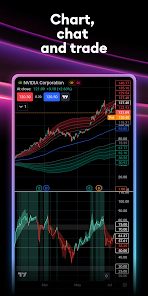
    TradingView: Track All Markets screenshot 1
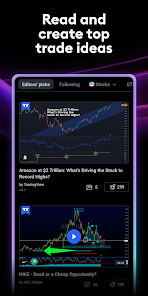
    TradingView: Track All Markets screenshot 2
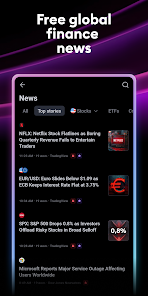
    TradingView: Track All Markets screenshot 3
    TradingView: Track All Markets screenshot 4
    TradingView: Track All Markets screenshot 5

    Swipe to view more screenshots

    About TradingView: Track All Markets

    TradingView: Track All Markets addresses the pervasive challenge of staying informed across dynamic global financial markets. This application provides a robust platform for both novice investors and seasoned technical analysts to monitor, analyze, and react to market movements. At its core, TradingView offers advanced charting tools, enabling detailed technical analysis with a comprehensive suite of indicators and drawing tools. Users can curate individual watchlists, setting up personalized alerts to track specific instruments and market conditions. A key feature is its ability to sync user accounts across multiple devices, ensuring consistent access to personalized data and settings. The platform integrates real-time data directly from a multitude of global exchanges, covering a wide array of asset classes including stocks, futures, Forex, cryptocurrencies, and CFDs. Furthermore, it facilitates the tracking of major global indices such as the NASDAQ Composite, S&P 500, Dow Jones, DAX, and FTSE 100.

    The app's core mechanics revolve around its real-time data feeds and sophisticated visualization capabilities, which are powered by professional data providers with direct market access. This ensures accuracy and timeliness, critical for effective trading and investment decisions. The interface is designed to be accessible for beginners while still offering the depth required by experts. Its best use case is for individuals who require immediate, granular access to financial market data and advanced analytical tools. It caters specifically to those who actively engage in or closely monitor financial markets and need a comprehensive, real-time solution for market analysis and idea generation.

    Key Features

    Advanced Charts
    Individual watchlists and alerts
    Syncing your accounts
    Real-time data from global exchanges
    Global indices tracking

    Similar Apps

    Hidden Gem
    Money Buddy Expense Tracker icon

    Money Buddy Expense Tracker

    There has never been a better time than now to track your personal finance, money spending and expenses. It is time to stop guessing where all your money goes, and take control of your personal finances by budgeting with easy money management! Quickly, and accurately keep track, plan, and prioritize your personal financial spending with ease! Money Buddy Finance is your own personal finance budget planner. What is a budget planner? A successful budget planner helps you decide how to best manage, and spend your money while avoiding or reducing expenses and debt, giving the you a clear visual where your money is being spent, and where you can cut out spending, reducing your expenses, and putting more of your money back in your pocket! Budgeting your money is one of the best ways to keep your personal finances on track. Money Buddy Finance can help you do just that! Simply enter your income sources with income amounts, along with your expenses, with expense amounts. Watch the pie chart represent the money you are spending, giving you the ability to visually see where your money is being spent and which expenses you can possibly trim. Below the chart you will find your "budget envelopes". The first "envelope" is for your income, this contains the income source(s) and income amount(s) you supplied. The second "envelope" is your expense "envelope" containing your expense source(s) and expense amount(s) that you supplied. Money Buddy Finance is a great money management budgeting tool that is also for finding areas in your expenses that you are able to cut out unnecessary spending, and allowing you to free up more of your hard earned cash money. Whether your goal is to pay off debt, save some money, or just allocate your money better, it is time you make every dollar count with a budget plan, that will help you visually see where your money is going, allowing you to plan accordingly. Check out the loan calculator! Need to make a big purchase or thinking of condensing

    Practical
    Streamlined
    Empowering
    finance
    5
    Freemium
    Hidden Gem
    SEE Finance 3 Mobile icon

    SEE Finance 3 Mobile

    Manage all of your financial accounts in a single place and gain control over your finances. Track all of the financial accounts you might have including banking, credit cards, investments and others. Packed full of options to allow you to take total control of your finances. There are many options available to you to personalize the app just for you. Store your file(s) on iCloud Drive and access them from your Mac, iPhone and iPad. iCloud Drive lets you access your files from multiple devices, keeps them secure, and under your control. Features: - Quick Transaction Entry - Split Transactions - Transaction Attachments - Multiple Currency Support - Create Multiple Files - Customizable Preferences - Companion macOS Version

    Reliable
    Comprehensive
    Self-sufficient
    finance
    5
    Freemium
    Hidden Gem
    Simple Offline Budget icon

    Simple Offline Budget

    Simple Offline Budget: Your private, offline budget tracker. Tired of budget apps that require accounts, link to your bank, or bombard you with ads? Simple Offline Budget is designed for those who value privacy and simplicity above all else. 100% Offline No internet connection? No problem. All your financial data is stored directly on your device, giving you total control and lightning-fast performance even without a data connection. Complete Privacy No accounts. No cloud syncing. No tracking. Your finances are nobody's business but your own. Because your data stays on your phone, you never have to worry about data breaches or third-party tracking. Zero Ads, Zero Clutter We believe a budget tool should be focused on your money, not on selling you credit cards. Enjoy a clean, beautiful interface with absolutely no advertisements or intrusive pop-ups. Key Features: Instant Expense Tracking: Log spending in seconds. Budget Management: Set monthly limits for categories like Food, Rent, and Travel. Income Tracking: Monitor your earnings and total cash flow. Recurring Transactions: Automate your bills and regular income. Visual Insights: See where your money goes with intuitive, colorful charts. Smart Copy: Easily copy your favorite budget category structures from month to month. Take control of your financial future today with the simplest, most private budget tracker on the App Store.

    Secure
    No-nonsense
    Empowering
    finance
    5
    Freemium
    Hidden Gem
    TVM: Time Value of Money icon

    TVM: Time Value of Money

    The TVM: Time Value of Money, Financial Calculator app will help you figure several different calculations using the most efficient financial formulas of Present Value, Future Value, Periodic Payment Amount, Number of Compounding Periods (months or years), and Interest Rate. The idea of interest earned is that money made available at the present is worth more than the same amount of money in the future due to its potential earning capacity through interest. Provided this money can earn interest, any amount of money is worth more the sooner it is received. This App specifically concentrates on solving for 1) Present Value (PV), 2) Future Value (FV), 3) Periodic Payment Amount (PMT), 4) Number of Compounding Periods (Time), and 5) Interest Rate (Rate(%)) For example, Compound Annual Growth Rate (CAGR) can be computed by selecting “%” and entering 3 numbers: PV, FV, and Time, then selecting Annual. This app has built-in documentation with equations. This app features: • Send your calculations or conversions by social media or email • Universal App (iPhone, iPod Touch, and iPad) • Latest version of iOS is supported • Retina Display graphics • Fast app switching • Automatically Saves Your Inputs • Export to CSV • All iPhone and iPad screens are supported No network connectivity required.

    Technical
    Functional
    Divisive
    finance
    5
    Freemium