

Mobile App WikiMobileAppWiki
    Back to Apps
    Pedometer α - Step Counter icon

    Pedometer α - Step Counter

    Hidden Gem

    Track your steps, calories, and distance with Pedometer α - Step Counter. A free, easy-to-use health app for walking and dieting.

    health
    4.9
    N/A
    iOS
    Free
    Honest Take

    + Users praise its accurate, automatic step tracking, even when backgrounded, and its ability to motivate fitness goals contrasting with other apps.

    Initial setup can be confusing due to unclear instructions regarding iPhone's 'Motion & Fitness' settings.

    This page contains affiliate links. Learn more

    Screenshots

    Pedometer α - Step Counter screenshot 1
    Pedometer α - Step Counter screenshot 2
    Pedometer α - Step Counter screenshot 3
    Pedometer α - Step Counter screenshot 4
    Pedometer α - Step Counter screenshot 5

    Swipe to view more screenshots

    About Pedometer α - Step Counter

    Overview

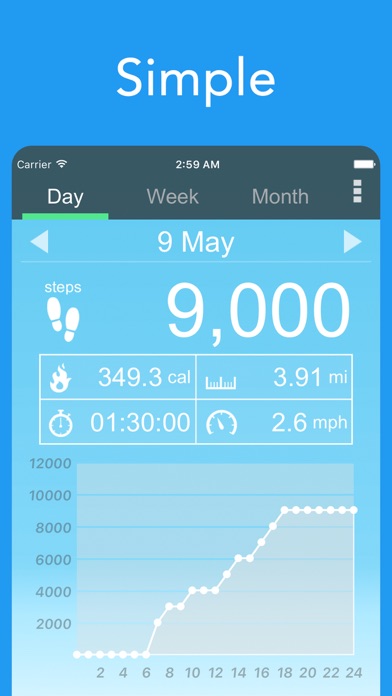
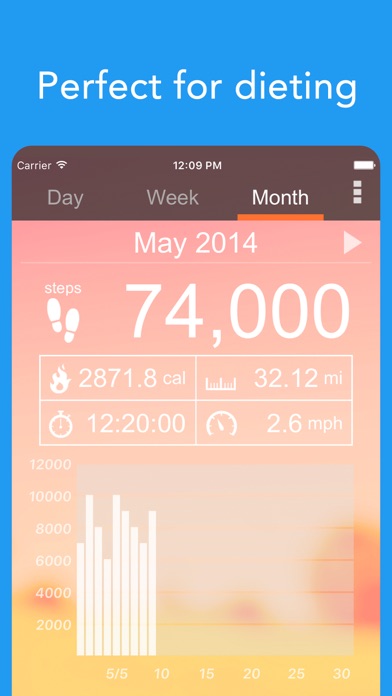
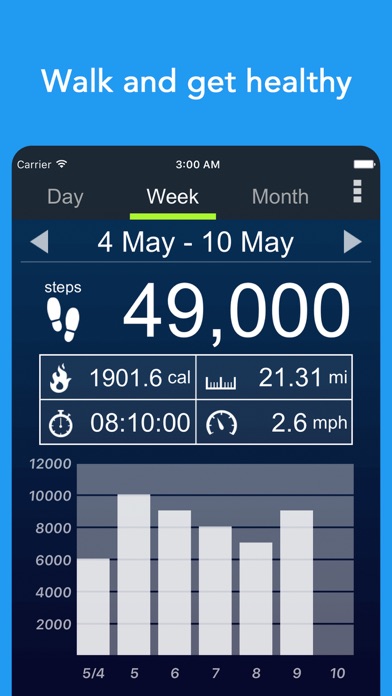
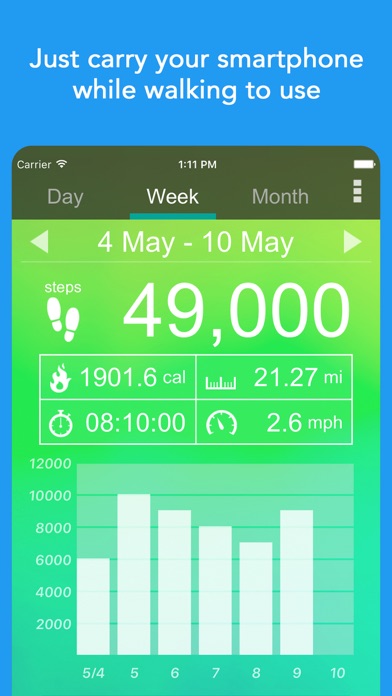
    Pedometer α - Step Counter is a free, user-friendly mobile application designed to help individuals track their daily steps and monitor their fitness progress. This app transforms your smartphone into a comprehensive pedometer, automatically recording your step count whether it's in your hand, pocket, or bag. Beyond just counting steps, it provides detailed insights into your activity, including calories burned, distance covered, walking time, and average speed per hour.

    The app emphasizes ease of use, making it an ideal tool for anyone looking to incorporate more walking into their routine, manage their weight, or simply stay active. It visualizes your progress through intuitive graphs, allowing you to easily review daily and historical data. With customizable themes and the ability to input personal metrics like age, gender, weight, and step length for accurate calculations, Pedometer α - Step Counter offers a personalized and engaging experience for monitoring your walking habits.

    Key Features

    • Detailed Activity Tracking: Automatically records steps, calories burned, distance, walking time, and speed.
    • Interactive Data Graphs: Visualize your activity data with graphs, allowing a touch to highlight specific information.
    • Historical Data Access: Easily swipe left to review previous days' recorded activity data.
    • Customizable Themes: Personalize the app's appearance by choosing from various themes.
    • Accurate Metric Calculations: Enter personal details like age, gender, weight, and step length for precise burned calorie, distance, and speed estimations.
    • Social Sharing: Option to post your pedometer screen to social media.

    Who It's For

    Pedometer α - Step Counter is perfect for individuals who want to check their daily step count, those looking to start a walking or jogging routine, and anyone aiming for weight loss through increased physical activity. It caters to users who prefer a simple, easy-to-use pedometer directly on their smartphone, eliminating the need for a separate device. The app also appeals to people who walk a lot for their job, wish to form a habit of walking, feel out of shape, or enjoy customizing their app's interface with different themes. Ultimately, it's for anyone seeking a convenient way to monitor and motivate their walking journey.

    Key Features

    Touch the graph to highlight information data for a specific time or date.
    Swipe to the left to see the data recorded until the previous day.
    If you want to change the look of the app, change the theme.
    In order to display the correct distance and speed, please enter your step length accurately.
    If you want to check your step count.

    Similar Apps

    Hidden Gem
    LightMyWatts icon

    LightMyWatts

    LightMyWatts – Transform Your Training Into an Immersive Light Experience! LightMyWatts isn’t just another training app – it’s a game-changer for indoor training. Imagine turning every pedal stroke or step into a visual masterpiece. With LightMyWatts, your effort doesn’t just show on a screen – it lights up your entire room. How does it work? Every watt you push and every heart beat instantly syncs with your Philips Hue lights, creating a dynamic color experience that mirrors your performance. Cruise in Zone 2 and enjoy a calming blue glow that keeps you steady. Ramp up to Zone 6, and watch your space ignite in fiery reds as you sprint toward your limits. It’s motivation you can see and feel. New Feature: Heart Rate Lighting Mode No spare BLE channel? No power meter available? Running on a treadmill? LightMyWatts now lets you use your heart rate strap to drive the light colors! Your heart rate zones become a vibrant visual guide – perfect for athletes who want the same immersive experience even without power data, or simply prefer training by HR. Whether you’re cycling, running, or doing a workout on the go, your pulse becomes your palette. Why LightMyWatts? Immersive Training: Your power or heart rate zones become a living light show. Personalized Experience: Configure your Hue bridge and group settings easily. Instant Feedback: No charts, no numbers – just pure visual energy. Whether you’re chasing watts, building endurance, or crushing intervals, LightMyWatts turns your training into an unforgettable sensory experience. It’s not just cycling – it’s performance art. Ready to ride in color? Download LightMyWatts today and make every watt – or heartbeat – shine! To use LightMyWatts alongside a training platform like Zwift, Rouvy, or MyWhoosh, your trainer (e.g., Wahoo) must support an extra Bluetooth channel. Alternatively, you can connect using a power meter or power pedals on your bike — or now, simply use your heart rate strap. You’ll also need a Phi

    Immersive
    Dynamic
    Sensory
    health
    5
    Freemium
    Hidden Gem
    PLNK Fitness icon

    PLNK Fitness

    ## Overview PLNK Fitness is the official mobile application for the popular fitness studio, PLNK Fitness, specializing in Lagree workouts on Megaformer machines. Designed to streamline the user experience, this app serves as a comprehensive portal for individuals dedicated to their fitness journey with PLNK. It eliminates the need for navigating complex websites on mobile, bringing all essential functionalities directly to the user's fingertips. From browsing class schedules to managing memberships, the app centralizes key activities, ensuring a seamless and efficient interaction for fitness enthusiasts. The core utility of the PLNK Fitness app lies in its ability to connect users quickly and effortlessly with their preferred Lagree classes. With hundreds of classes offered weekly, the app acts as a digital concierge, allowing users to discover, book, and purchase sessions with unparalleled ease. Beyond class management, it provides vital information about studio locations, ensuring users can find their nearest PLNK Fitness center without hassle. The platform also serves as a communication hub, keeping users updated on the latest news, in-studio events, and exclusive offers, fostering a stronger community connection. ## Key Features - **Effortless Class Booking**: Quickly find and reserve your spot in Lagree classes across all PLNK Fitness locations. - **Direct Class Purchase**: Conveniently buy single classes or class packages directly within the app. - **Studio Locator**: Easily view studio addresses, contact information, and operating hours for all PLNK Fitness sites. - **Real-time Schedule Access**: Access up-to-date class schedules, including instructor details and class descriptions. - **Account & Membership Management**: Oversee your personal profile, review purchase history, and manage active memberships. - **Exclusive Updates**: Stay informed about the latest PLNK Fitness news, special events, and app-exclusive offers. ## Who It's For The PLNK Fitness app is designed for existing and prospective clients of PLNK Fitness studios. It caters to individuals committed to Lagree workouts on the Megaformer, who seek a convenient, all-in-one platform for managing their fitness regimen. It's ideal for busy individuals who want to quickly book classes, track their progress, and stay connected with the PLNK Fitness community. Whether you're a seasoned Lagree practitioner or new to the PLNK experience, this app streamlines your fitness journey.

    Frustrating
    Intense
    Demanding
    health
    5
    Free
    Hidden Gem
    btone fitness NEW icon

    btone fitness NEW

    ## Overview btone fitness NEW is a dedicated mobile application designed to streamline the experience for users of btone FITNESS studios. At its core, the app serves as a centralized hub for managing all aspects of a user's fitness journey with btone, from initial class discovery to ongoing membership oversight. It eliminates the need for navigating complex websites or engaging in phone calls, offering a convenient, on-the-go solution for busy individuals looking to incorporate btone's unique fitness classes into their routines. The primary function of btone fitness NEW is to facilitate planning and scheduling. Users can easily browse the complete class schedule, filter by criteria such as time, instructor, or class type, and secure their spot in a preferred session with just a few taps. Beyond scheduling, the app enhances the user experience by providing transparency into account details, including current class tallies and comprehensive membership information, ensuring users are always informed about their progress and subscription status. Furthermore, the app acts as a direct communication channel for promotions and special offerings. Users can discover and take advantage of ongoing deals, potentially saving money and encouraging greater engagement with the btone FITNESS community. By consolidating essential functionalities into a single, intuitive platform, btone fitness NEW aims to deliver a seamless and efficient service that complements the energetic and results-driven nature of btone's fitness programs, ultimately saving users valuable time. ## Key Features - **Class Schedules**: View real-time class schedules across all btone FITNESS locations. - **Class Sign-Up**: Directly sign up and reserve spots in desired fitness classes. - **Promotions & Offerings**: Discover and access ongoing promotions, discounts, and special packages. - **Class Tally**: Track the total number of classes attended to monitor progress. - **Membership Details**: Access comprehensive information about current memberships, including expiration dates and benefits. - **Account Management**: Manage personal profile and account settings within the app. ## Who It's For btone fitness NEW is ideal for existing members of btone FITNESS studios who seek a convenient, quick, and efficient way to manage their class schedules and membership details. It also caters to prospective clients interested in exploring btone's offerings, viewing class availability, and easily signing up for their first session. Individuals with active lifestyles who prioritize time-saving tools and on-the-go management of their fitness commitments will find this app particularly useful.

    Community-focused
    Streamlined
    Supportive
    health
    5
    Free
    Hidden Gem
    PowNap icon

    PowNap

    PowNap Wake up when your body is ready. PowNap is an intelligent power-nap timer for Apple Watch. Instead of rigid time rules, PowNap uses your heart rate to detect recovery and wake you at the right moment. You start the nap. PowNap handles detection and wake-up — based on your current physiology. --- Two Modes Power Nap 15, 20, or 25 minutes. - May end earlier if your body recovers sooner - Ends at the selected time at the latest Heart-rate detection with a fixed upper limit. Infinity Nap No time limit. - Ends when your body shows signs of recovery or light sleep - Ideal for stress, exhaustion, or when you don’t want a fixed duration Not designed for deep sleep, but for short, measurable recovery. Depending on your heart rate, this may happen after 10–15 minutes — or later. --- Calm. Precise. Distraction-free. - Detects relaxation and falling asleep via heart rate - Wakes you with gentle vibration - No countdown pressure, no unnecessary sound - Subtle progress indicators instead of a classic timer - Runs fully offline on your Apple Watch Tap “Start” — PowNap takes care of the rest. --- Adjustable (Optional) - Vibration: Soft, Medium, Strong, or Increasing - Heart-rate threshold: - automatically adjusted to your resting heart rate - or manually set as a percentage Behavior may vary slightly depending on your daily condition. --- Private & Local - One-time purchase — no subscription - No ads, no account, no tracking - No cloud All processing happens locally on your watch. Saving naps to Apple Health is optional. For heart-rate detection, Health permissions (Workout, Heart Rate, Sleep) are required. Without them, heart-rate-based nap control is not available. --- Important Notes - PowNap is not a medical device - For continuous heart-rate tracking, PowNap uses a “Mind & Body” workout session (required by watchOS) As a result, exercise minutes are counted and Activity Rings are affected. This behavior is system-controlled and cannot be undone.

    Precise
    Calm
    Data-driven
    health
    5
    $2.99