Overview
Notes is a robust and versatile productivity application designed to be a central hub for all your informational needs. It transcends the traditional idea of a simple note-taking tool, evolving into a comprehensive digital workspace where users can capture quick thoughts, curate detailed projects, and manage essential data. From scribbling down a momentary idea to assembling an intricate document with multimedia elements, Notes streamlines the process of information gathering and organization.
The application’s strength lies in its ability to integrate diverse content types within a single note. Users can embed PDFs, images, web links, and even maps, making each note a rich and informative resource. The built-in audio recording and transcription features are particularly powerful for capturing lectures, meetings, or interviews, while the document scanner allows for the seamless digitization of physical papers. With iCloud synchronization, Notes ensures that all your meticulously organized information is consistently available across all your Apple devices, providing unparalleled accessibility and continuity.
Key Features
- Rich Media Integration: Embed various file types including PDFs, photos, web links, and maps directly into your notes for comprehensive documentation.
- Audio Recording & Transcription: Capture audio on the go and have it transcribed directly within the note, perfect for lectures or meetings.
- Document Scanning: Digitize physical documents with an integrated scanner, keeping all your papers organized digitally.
- Secure Notes: Protect sensitive or personal information by locking individual notes, ensuring privacy and data security.
- Advanced Formatting & Checklists: Apply diverse text styles, create bulleted lists, highlight important sections, and manage tasks with interactive checklists.
- Table Support: Neatly organize complex data and information within tables directly embedded in your notes.
- Sketching & Handwriting: Utilize Apple Pencil or finger for freehand sketching and handwriting directly within notes or inline PDFs, with various brush styles and colors.
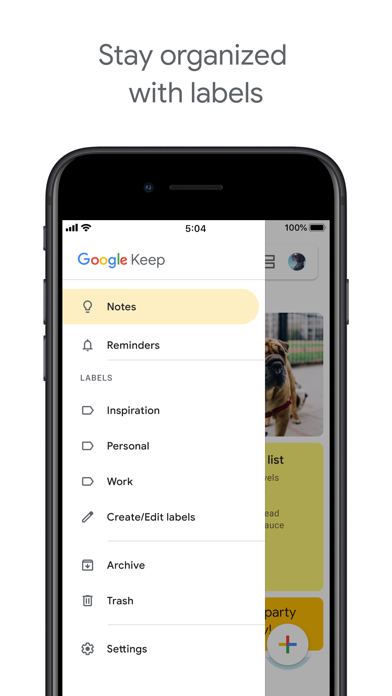
- Intelligent Organization & Search: Keep notes tidy with folders, subfolders, and tags; search across text, handwriting, and even within scanned documents and photos.
Who It's For
Notes is ideal for students, professionals, creatives, and anyone who needs a powerful yet intuitive system to capture, organize, and manage information. It caters to users who value a seamless experience across their Apple devices and require robust features for multimedia integration, secure storage, and advanced organizational capabilities. From preparing for exams to managing complex projects or simply keeping track of daily to-do lists, Notes provides a versatile platform for a wide array of users seeking to enhance their productivity and information management.