Overview
ATracker Time Tracker stands out as a robust and intuitive productivity application, designed to bring clarity and control to how individuals manage their most valuable resource: time. In an increasingly busy world, where distractions are constant and tasks ever-piling, ATracker offers a sophisticated yet simple solution to meticulously monitor and analyze personal and professional activities. It transcends basic time logging by providing insightful analytics, helping users identify time sinks, optimize routines, and ultimately enhance their overall productivity and work-life balance. Its user-friendly interface and focus on actionable data make it a strong contender in the crowded market of productivity tools.
The application's core appeal lies in its ability to transform the often-tedious task of time tracking into an effortless, integrated part of the daily routine. Whether it's for tracking professional projects, academic studies, personal fitness regimens, social engagements, or even routine household tasks, ATracker enables users to gain a comprehensive understanding of their time allocation. This depth of insight empowers informed decisions about scheduling and habit formation, crucial for anyone committed to personal development and achieving specific goals.
Key Features
- One-Tap Tracking: Initiate and conclude tracking of any activity with a single tap, streamlining the logging process.
- Daily Overview: Provides a concentrated view of daily time expenditure, offering immediate insights into current day's activities.
- Interactive Goal System: Users can define personal or professional goals and monitor progress directly within the application.
- Comprehensive Activity Log: Maintains a detailed historical record of all tracked activities, allowing for retrospective analysis and data correction.
- Customizable Activities: Offers extensive personalization options for tasks, including unique icons and distinct color-coding for better visual organization.
- Task Notes: Facilitates the addition of specific context, details, or reflective notes to each tracked entry for future reference.
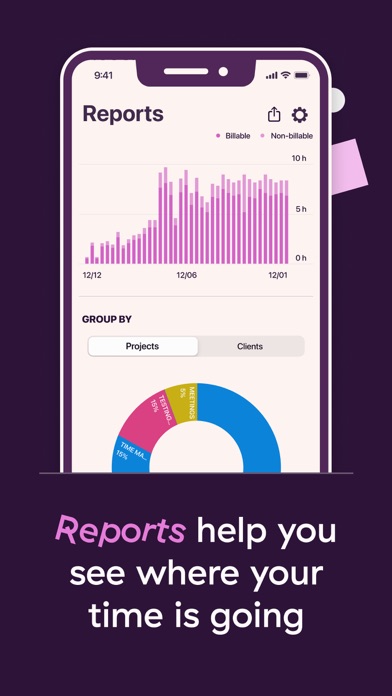
- Visual Statistics: Presents time usage data through clear and informative bar and pie charts, aiding in pattern identification.
- Tagging & Filtering: Enables categorization of activities using tags and offers powerful filtering capabilities for granular data analysis.
How It Works
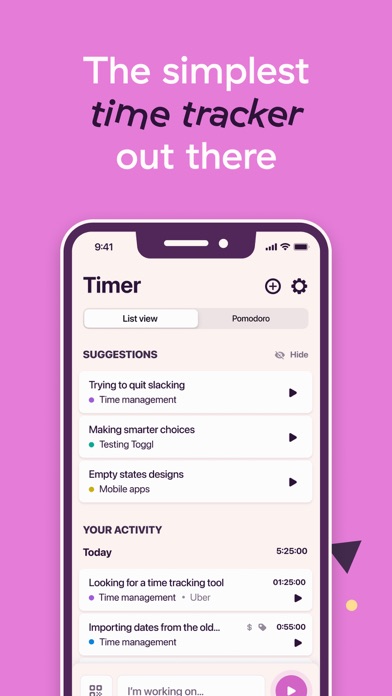
Users embark on their ATracker journey by first defining their various activities, which can range from 'Work on Project X' to 'Reading' or 'Exercise'. Each activity can be customized with a unique icon and color, making it visually distinct. The central interaction revolves around the 'Today' tab, where users simply tap an activity to start tracking and tap again to stop. If an activity was overlooked, the app allows for manual entry or modification of past logs, ensuring data accuracy.
Over time, as data accumulates, ATracker's analytical capabilities come to the forefront. The 'Statistics' section transforms raw time logs into digestible visual reports, such as bar graphs showing daily or weekly time distribution and pie charts illustrating the percentage of time spent on different categories of tasks. This intuitive feedback loop encourages regular use and provides the data necessary for users to make informed adjustments to their schedules and habits, fostering a proactive approach to time management.
Who It's For
ATracker Time Tracker is ideally suited for individuals across a spectrum of needs who seek to optimize their time and boost productivity. This includes professionals managing multiple projects, students tracking study hours and assignment time, freelancers needing to log billable hours, and even stay-at-home parents or caregivers monitoring daily routines and household chores. Its comprehensive features also appeal to those focused on self-improvement and habit formation, such as fitness enthusiasts tracking workouts or individuals striving to dedicate more time to hobbies.
While highly versatile, individuals who prefer a completely hands-off approach to time management or those who only occasionally need to track a single recurring task might find its extensive features more than they require. However, for anyone committed to genuine insight into their time allocation and proactive schedule optimization, ATracker provides the necessary tools.
Pros and Cons
Pros:
- Highly customizable activities with visual identifiers.
- Intuitive one-tap tracking mechanism simplifies logging.
- Robust statistical reports and visual charts for deep insights.
- Flexible data entry and modification for historical accuracy.
Cons:
- Initial setup time for defining all activities can be extensive for some users.
- May offer more features than necessary for very casual time trackers.